G2Core is a motion control system, similar to grbl, mach3/4, linuxCNC, etc. It runs on a 32-bit ARM Cortex M3 Arduino Due, which means plenty of power for additional features.
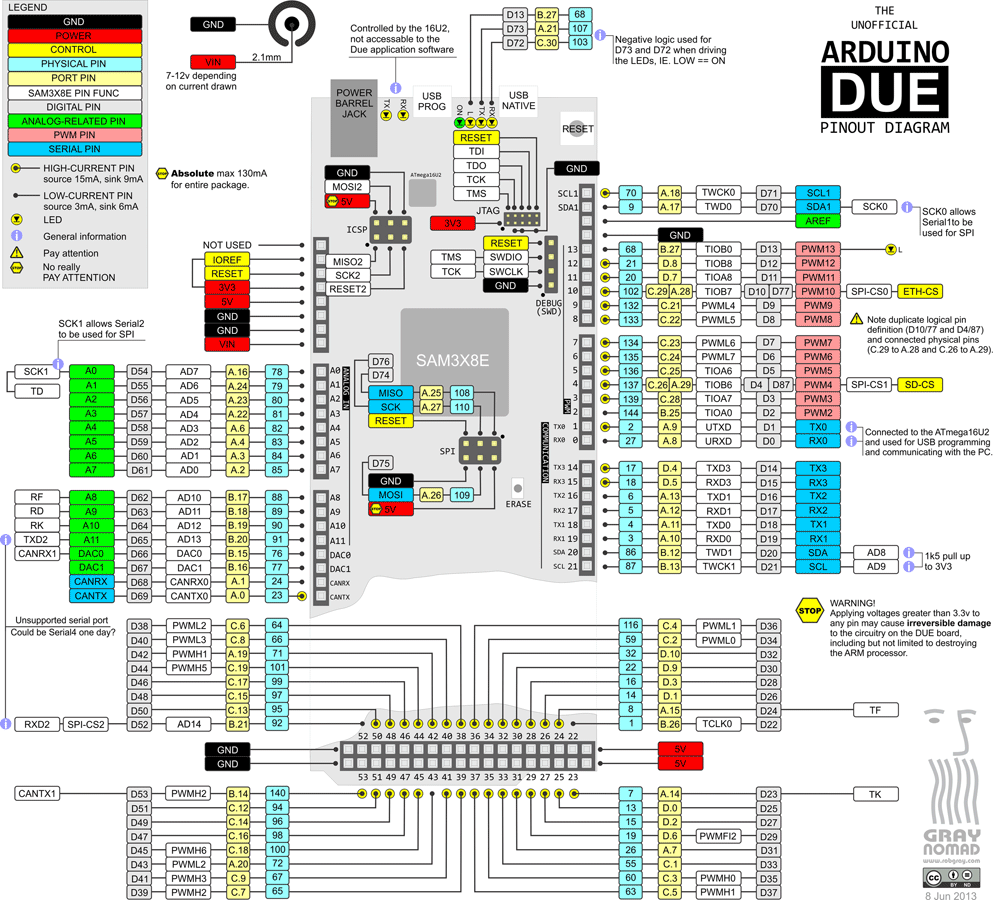
Configuration in G2core
| Term | Meaning |
|---|---|
| machine | BOARD + SETTINGS_FILE |
| CONFIG | Specifies default BOARD/SETTINGS_FILE for a machine |
| BOARD | Specify board type and revision |
| BASE_BOARD | Specify underlying hardware platform |
| SETTINGS_FILE | Specify default settings |
Enable Motors and Axes
Create a new SETTINGS_FILE,
settings_defaultdue.hEnable motors
M1_POWER_MODE: MOTOR_ALWAYS_POWEREDSet motor power level
M1_POWER_LEVEL: 1.0Enable axes
X_AXIS_MODE: AXIS_STANDARD
Build and Flash
- Add a new config in
boards.mkwhich will use the newsettings_defaultdue.h
ifeq ("$(CONFIG)","DefualtDue")
    ifeq ("$(BOARD)","NONE")
        BOARD=g2v9k
    endif
    SETTINGS_FILE="settings_defaultdue.h"
endif
CleanthenBuild SolutionFlash the board using
arduino-flash-tools, which in my case is
mode COM3 BAUD=1200
bossac.exe --port=COM3 -U false -e -w -v -b C:\Github\g2\g2core\bin\DefualtDue-gShield\g2core.bin -R
Connect
- Switch the USB cable to the other port on the board, and connect to CNCjs/UGS/Chilipeppr